 ProductReveal
About this product
Sniploom Review: Private Browser-Based Photo and PDF Tools
Sniploom is a collection of practical image and PDF utilities designed for people who want quick results without creating an account or uploading personal files to an unknown server. The product focuses on common, concrete jobs: improving dark photos, correcting overexposed images, restoring faded prints, removing backgrounds, compressing images, and handling everyday PDF tasks. It is free to use and does not add watermarks.
What makes Sniploom different
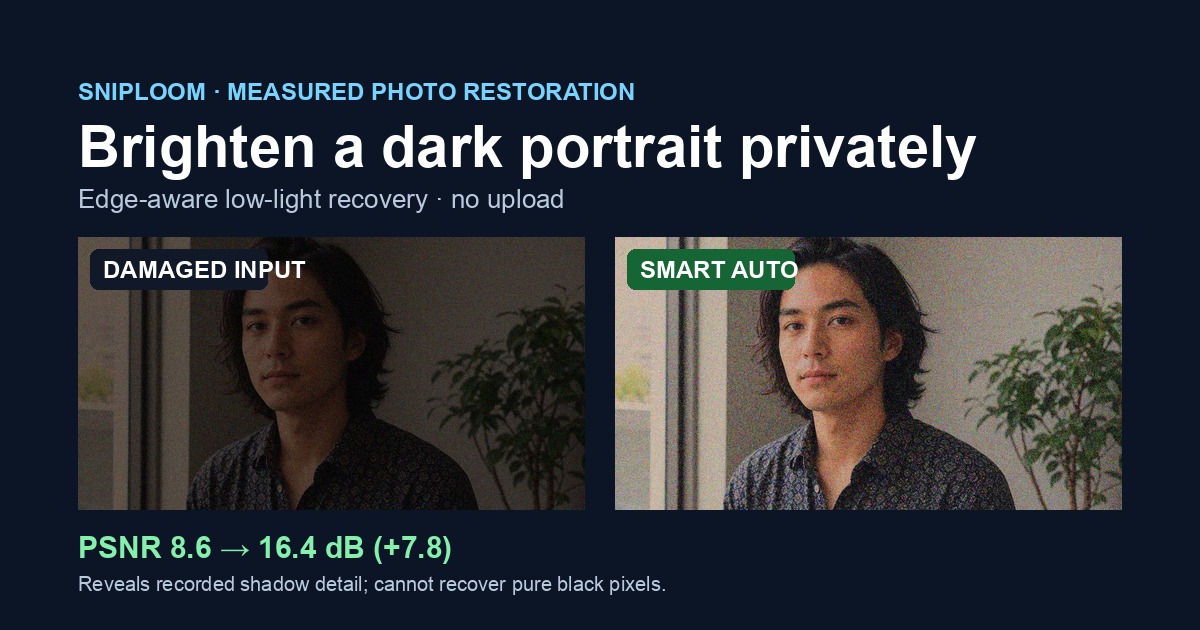
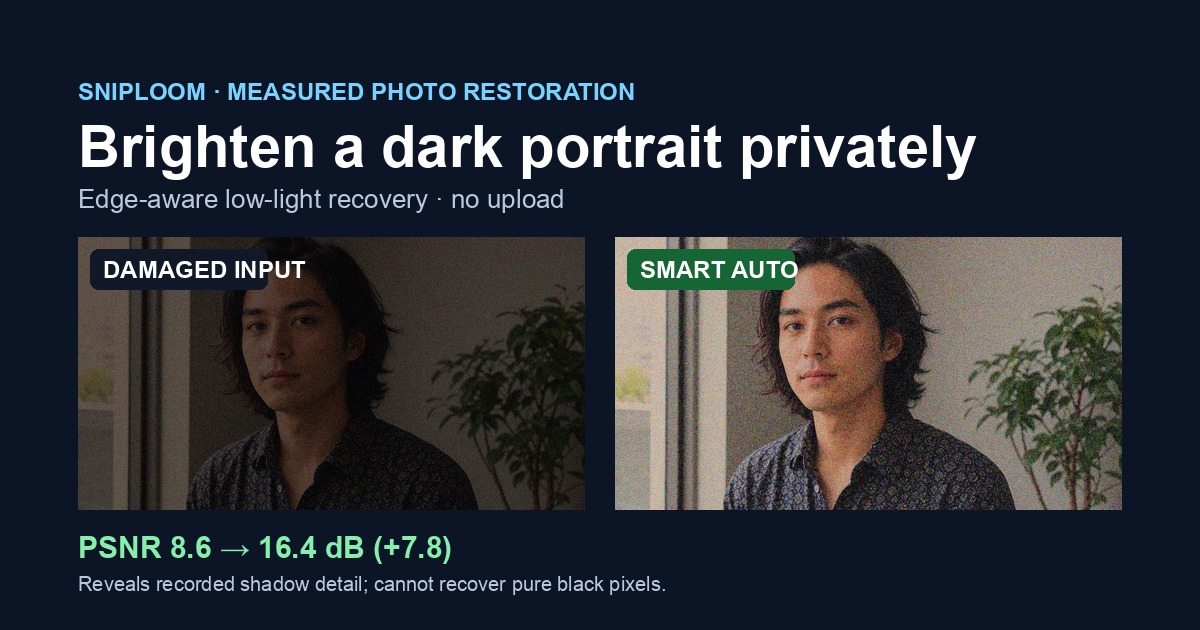
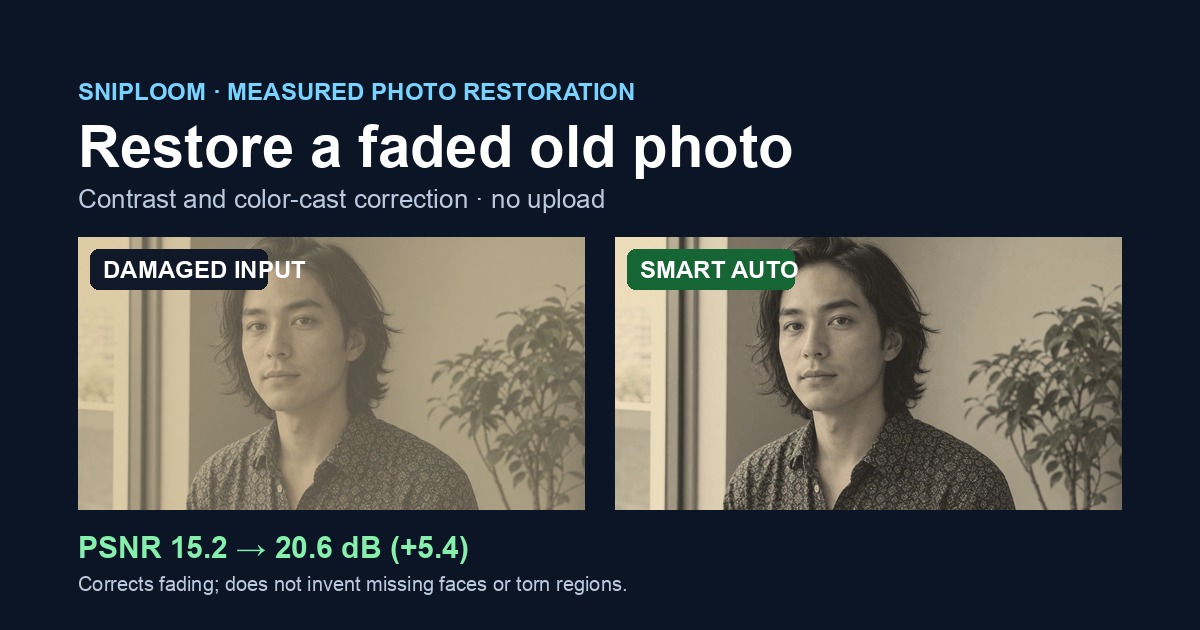
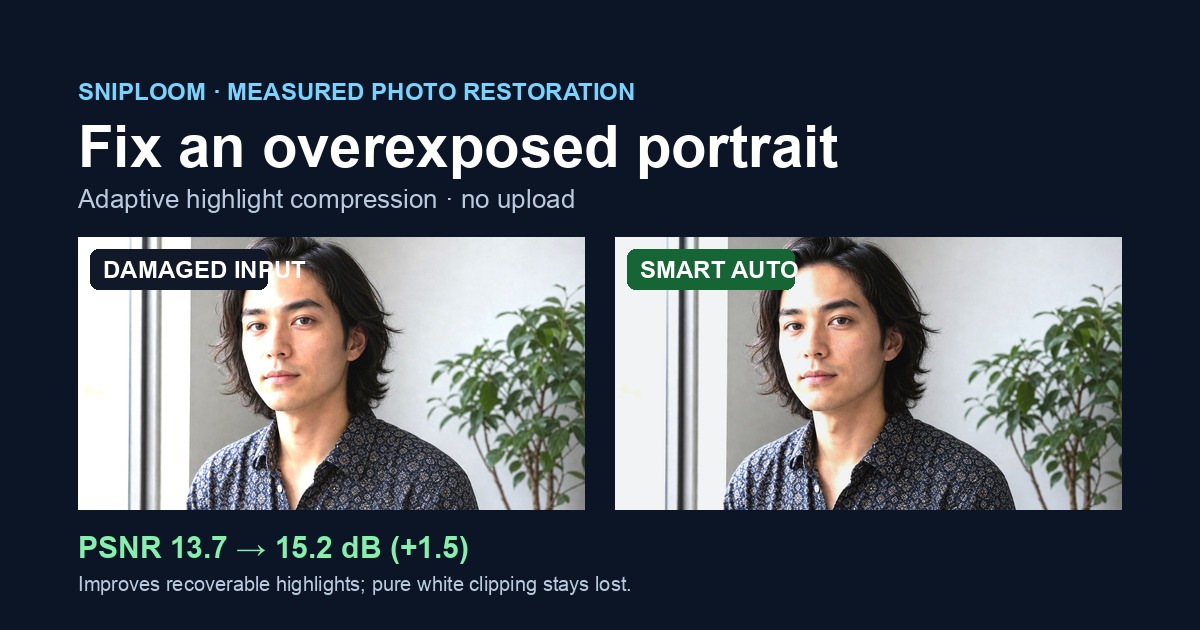
Many online photo tools lead with ambitious AI claims but provide little evidence about where the processing works and where it fails. Sniploom takes a more measured approach. Its enhancement pages include reproducible stress tests for low-light scenes, faded photographs, and overexposure. Visitors can inspect difficult examples before using their own files. The site also explains limitations instead of implying that every damaged image can be perfectly reconstructed.
Privacy-first processing
The strongest part of the product is its browser-first architecture. Whenever a tool can run locally, the image or document remains on the user’s device. This matters for family photographs, identity documents, client images, invoices, and other files that users may not want to transfer to a remote service. There is no required account, no upload workflow for the local tools, and no watermark added to the output. The simple model also reduces friction: open a tool, choose a file, adjust the result, and download it.
Core image tools
The low-light workflow is useful for underexposed indoor photographs and scenes where important details are hidden in shadows. The faded-photo workflow targets old prints with reduced contrast and color shifts. The overexposure tool attempts to recover a more balanced appearance when highlights dominate the image. Background removal and compression address common e-commerce, social-media, and website tasks. Sniploom also groups these utilities with PDF tools, making the site useful as a lightweight toolbox rather than a single-purpose demo.
Realistic expectations
Sniploom is not a replacement for professional retouching software or manual restoration by an expert. Extremely blurred faces, clipped highlights with no remaining information, severe scratches, and missing image regions cannot always be recovered accurately. The product is most useful when the source still contains recoverable visual information and the user needs a fast, private improvement. Publishing these limits is a positive choice because it helps users decide whether a tool is appropriate before investing time in it.
User experience
The interface is intentionally direct. Tools are separated by task, instructions are short, and users can begin without onboarding. The absence of accounts and subscription prompts keeps the workflow focused. Before-and-after examples help explain the intended use case. Because processing happens in the browser, performance can vary with image size and device capability, but the tradeoff is improved privacy and zero installation.
Who should use it
Sniploom is a good fit for families digitizing old photographs, small sellers preparing product images, creators who need quick image cleanup, students working with PDFs, and privacy-conscious users who prefer local processing. It can also help developers and marketers who need a fast utility without opening a full desktop editor.
Final assessment
Sniploom is most convincing when viewed as a transparent, privacy-first utility collection. Its value does not come from claiming a magical restoration algorithm. It comes from combining useful browser tools, difficult public test cases, honest limitations, and a frictionless free experience. The current version is already practical for common photo and document jobs, while its published stress tests give the maker a clear foundation for improving quality over time.
Key features
- Private local browser processing
- Low-light, faded-photo and overexposure correction
- Reproducible stress tests with honest limitations
- No account, uploads or watermarks
- Free image compression, background and PDF tools
Pros
- Runs locally in the browser
- No account or watermark
- Honest public stress tests
- Multiple image and PDF utilities
- Completely free
Cons
- Not a replacement for professional restoration
- Performance depends on device and image size
- Very damaged images may need manual editing
Gallery
Reviews
Reviews are moderated before appearing publicly.
No reviews yet — be the first to share your experience.