 ProductReveal
About this product
MyLookStory: a photo-first AI creative workspace
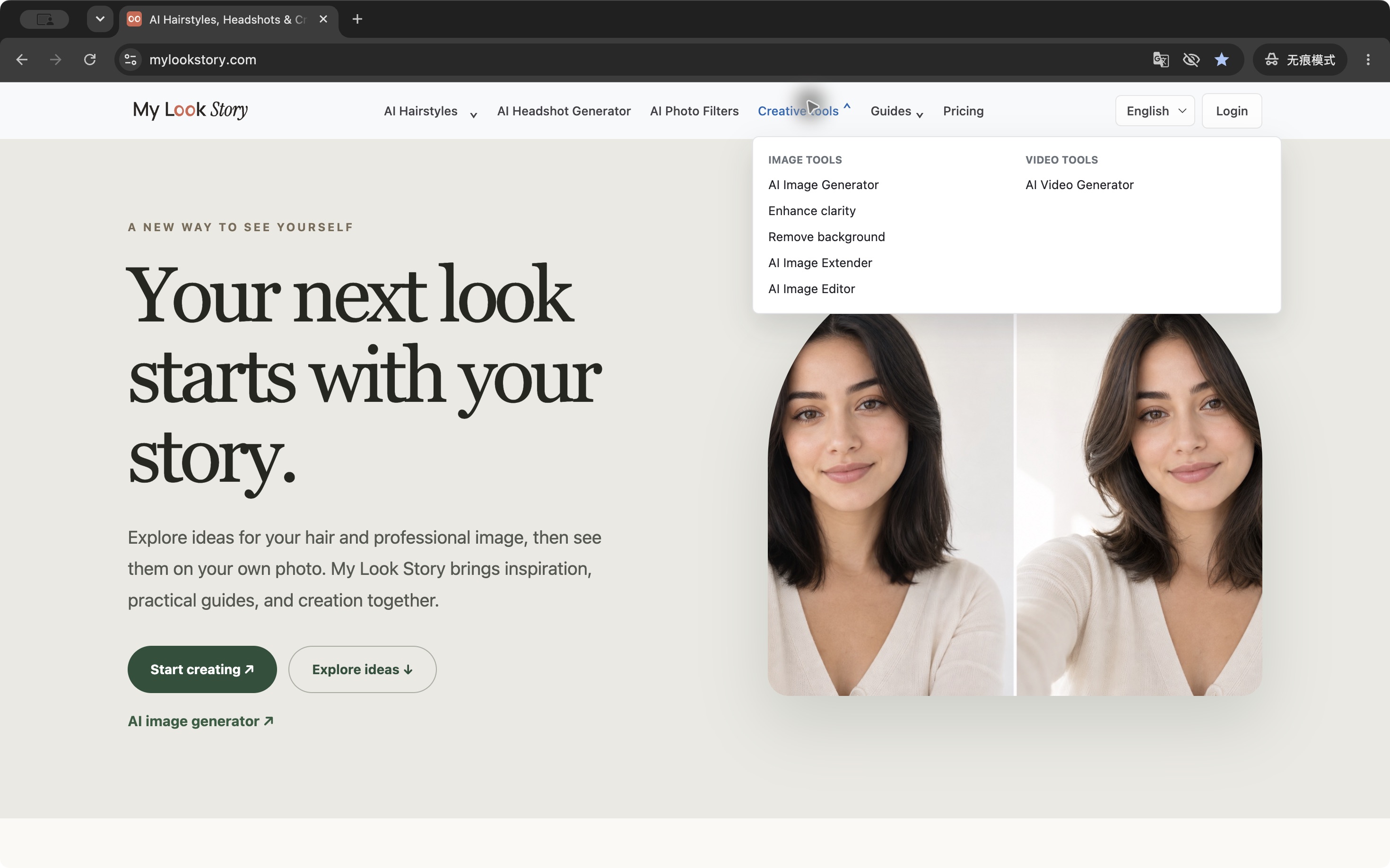
MyLookStory brings personal style exploration, photo editing, image generation and short video creation into a multilingual web workspace. The starting point is often a photo the user already has: a portrait, a profile picture or an image they want to improve. Instead of switching between separate tools for every visual task, users can explore related workflows through one website at https://www.mylookstory.com/.
Explore hairstyle and hair-color ideas
A central use case is trying visual ideas before making a real-world change. Users can explore AI hairstyle and hair-color variations from their portrait and compare how a different look might appear. This makes the product relevant to people researching a haircut, experimenting with a new color or collecting inspiration before a salon visit. Generated previews are creative visual references; the actual result of a haircut or coloring service will depend on the person, their hair and the stylist.
Create portraits and edit everyday photos
The workspace also includes professional headshot creation and photo filters. These workflows can help someone explore a different presentation for a profile picture or prepare visual material for a personal project. Background removal and background blur help separate a subject from distracting surroundings, while photo enhancement and image extension support other common editing needs. Users can choose the tool that matches the task instead of treating every edit as an open-ended generation prompt.
Generate images and short videos
Beyond editing an existing portrait, MyLookStory supports image creation from text or reference images and the creation of short videos. These features extend the workspace to social posts, visual concepts and creative experiments. A user might begin with an idea for an image, refine the result through a related editing workflow, and then explore a short moving version. The available tools and generation choices should be checked on the website because product capabilities and model options can change over time.
Who it is for
MyLookStory is useful for individuals exploring their appearance, creators preparing visual material, and people who want browser-based photo tools for everyday projects. Its multilingual interface also matters when a person would rather work in a familiar language. The product is photo-first, so a practical way to begin is to identify one specific result: a hairstyle idea, a cleaner background, a different headshot presentation or an image for a social post. Choosing a clear task makes it easier to judge whether the output is useful.
Pricing and practical expectations
AI generation uses account credits. Paid plans and credit packs are available, and users should consult the current website for the prices, credit costs and options that apply to their chosen task. Different generation settings may have different requirements. Generated outputs can vary, so reviewing details before using an image publicly is part of a sensible creative workflow. This description does not promise a particular search ranking, business result or identical output across repeated generations.
Getting started
Visit https://www.mylookstory.com/, select the relevant tool and follow the workspace instructions for the photo or prompt. Start with a focused example, compare the output with the original goal, and refine the idea as needed. For product questions, the public contact address is support@mylookstory.com. MyLookStory combines style exploration and broader visual creation around a straightforward goal: helping people turn their own photos and ideas into useful visual content.
Key features
- Explore AI hairstyle and hair-color ideas from a portrait
- Create professional headshots and photo filter variations
- Remove or blur backgrounds, enhance clarity and extend photos
- Generate images from text prompts or reference photos
- Create short videos in a multilingual web workspace
Reviews
Reviews are moderated before appearing publicly.
No reviews yet — be the first to share your experience.