 ProductReveal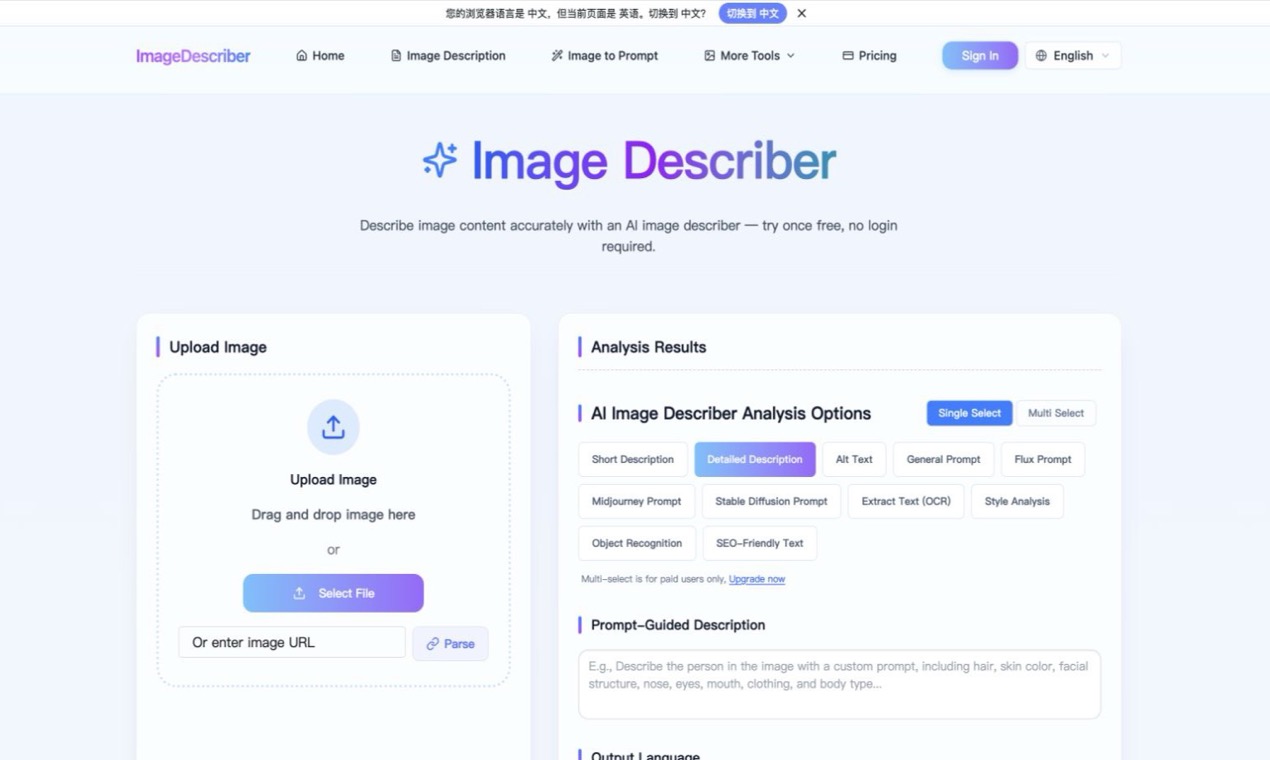
About this product
What Image Describer does
Image Describer is a browser-based tool for turning an image into a clear written explanation. It is useful when a person needs to understand the contents of a visual quickly, or when a team needs a text record to accompany an image. Instead of starting with a blank document, a user can begin with the visual itself and use the result as a practical first draft for review, documentation, or communication.
The tool is a good fit for people who work with screenshots, product photos, diagrams, reference images, and other visual material. Content teams can use an image description as a starting point for captions and accessibility notes. Researchers can use it to organize a set of visual references. Support and operations teams can use it to explain what appears in a screenshot before handing the issue to another person. It can also help anyone who wants a quick plain-language summary without manually writing every visible detail.
The workflow is intentionally simple: open the site, provide an image, and review the generated explanation. The result can help identify the main subject, scene, visible objects, and useful context in a consistent format. For accessibility work, the output can serve as an editable draft rather than a final substitute for human judgment. For research and documentation, the text can make a visual easier to search, compare, and discuss.
A practical process is to check the generated description against the original image, correct any uncertain detail, and then adapt the wording for the intended audience. Short descriptions work well for quick references, while a fuller explanation can be useful for internal notes or a project handoff. This review step matters because visual interpretation depends on context, and the person who owns the content should decide which details are important.
Many image workflows are slowed down by the small task of explaining what is already visible. Image Describer helps move that task forward with a readable starting point. It is especially useful when a creator needs consistent notes across many images, when a team is preparing material for people who cannot see the original visual, or when an image needs to be documented before it is edited or published.
The tool can support a range of everyday use cases. A designer may use it to record what a reference image contains before making a new variation. A support specialist may use it to summarize a screenshot before escalating a problem. A teacher or researcher may use the text as a first pass for discussing a chart, diagram, or photograph. A content editor may use the draft to identify missing context and then rewrite it in the house style. These are starting points, so the final wording should always be checked against the source image.
Overall, Image Describer is a focused utility for image understanding. It keeps the workflow centered on the image and the explanation, making it easier to move from visual input to a useful written record while leaving the final review and interpretation with the user. Its value is clearest when a visual must be made easier to discuss, document, or share with people who need a textual explanation.
Key features
- Browser-based image analysis
- Clear visual descriptions
- Accessibility draft support
- Research and documentation notes
- Simple review workflow
Reviews
Reviews are moderated before appearing publicly.
No reviews yet — be the first to share your experience.