 ProductReveal
Excel to Markdown
Convert spreadsheets to Markdown locally in your browser
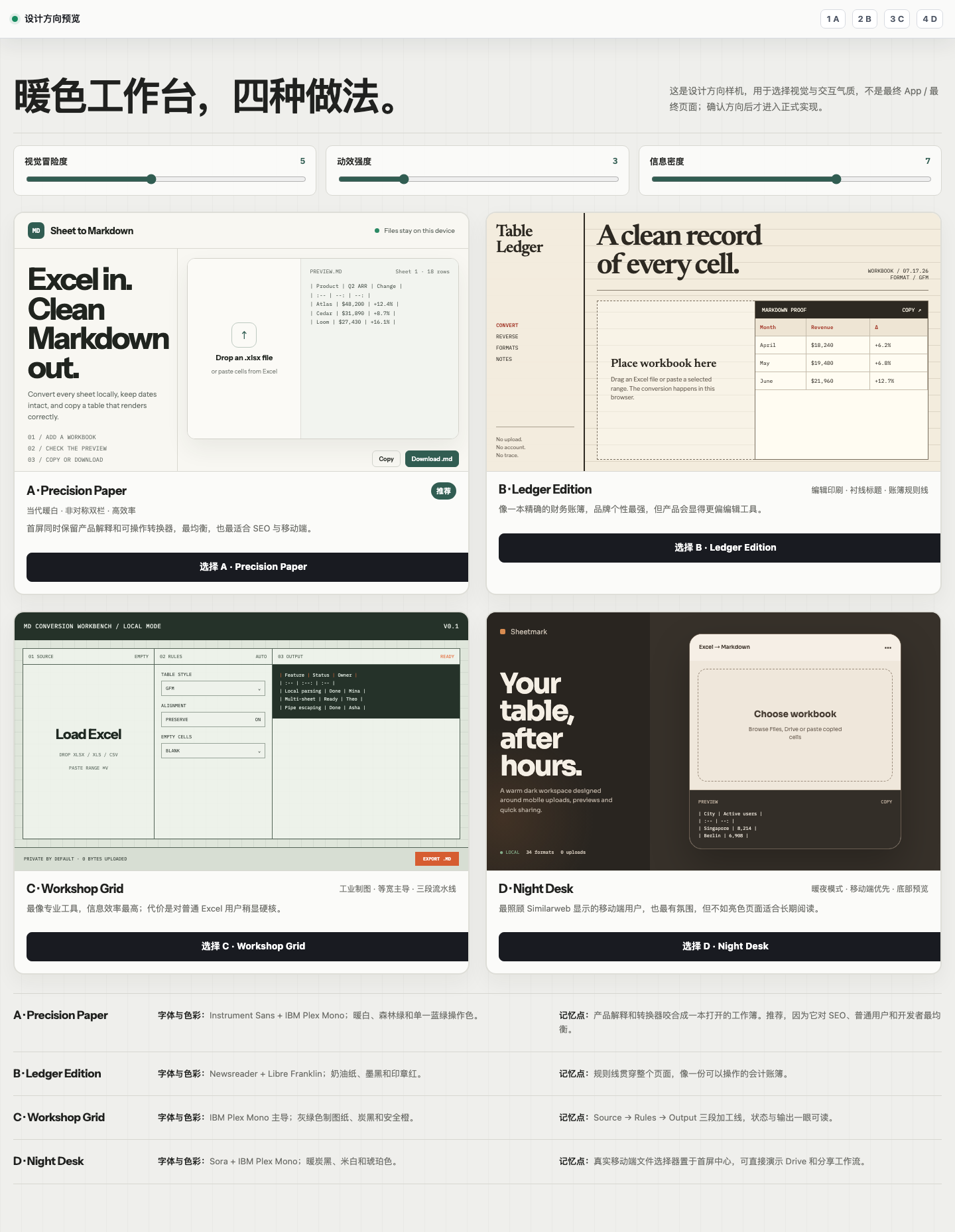
About this product
Disclosure: I built and operate Excel to Markdown. This overview explains the product from the maker's perspective, including where it fits, how it works, and the tradeoffs users should understand.
What Excel to Markdown does
Excel to Markdown is a focused browser tool for turning spreadsheet data into Markdown tables. It accepts modern XLSX workbooks, legacy XLS files, and CSV files. The main audience is developers, technical writers, analysts, support teams, and anyone who regularly moves structured data from a spreadsheet into a README, product document, issue, knowledge base, or static website. Instead of copying cells and manually rebuilding pipes, headers, and alignment markers, a user can open a workbook and generate clean Markdown in one workflow.
Why browser-local processing matters
Many conversion sites ask users to upload documents to a remote server. That can be inconvenient for internal planning sheets, draft documentation, sample customer data, or any workbook that a user would rather keep on their own device. Excel to Markdown parses workbook content in the browser. Public conversion does not require an account, and the workbook is not uploaded to the converter's server. This design reduces friction and gives users a clearer privacy boundary: they select a local file, work with it in the current browser session, then copy or download the result.
The conversion workflow
After opening an XLSX, XLS, or CSV file, users can review the available worksheet names and select one or several sheets. This is useful when a workbook contains separate reference tables that belong in the same documentation set. Users can decide whether the first row should become the Markdown header and can adjust column alignment. The preview makes it easy to inspect the generated table before using it elsewhere. When the output looks right, it can be copied directly to the clipboard or downloaded as a Markdown file.
The product is intentionally narrow. It does not try to recreate an entire spreadsheet application or preserve every workbook visual style. The goal is to convert the data structure needed for Markdown: rows, columns, headers, and readable cell content. That focus keeps the interface quick to learn and makes it practical for small, repeated documentation tasks.
Useful companion tools
The site includes more than the main Excel-to-Markdown converter. A Markdown-to-Excel tool supports the reverse direction when a table needs to return to a spreadsheet workflow. There are also dedicated CSV-to-Markdown and HTML-table-to-Markdown tools, guidance for moving Google Sheets data into Markdown, and a visual Markdown table generator for creating or editing a table without starting from a workbook. Together, these tools cover several common paths between documentation formats and tabular data.
Who will get the most value
The strongest fit is someone who already knows where the Markdown will be used. A developer may be documenting configuration options in a repository. A technical writer may be converting a product comparison maintained by another team in Excel. An analyst may need to publish a small result table in a report. A support or operations team may keep procedures in a spreadsheet and want a clean table for a knowledge base. In all of these cases, avoiding account creation and remote file upload makes the task faster.
Practical limitations and expectations
Large or unusually complex workbooks can take more time because processing happens on the user's device. Macros, charts, formulas as interactive spreadsheet logic, merged-cell layouts, colors, and other presentation-heavy Excel features are not the point of the converter and may not map meaningfully to Markdown. Users should treat the output as a clean tabular starting point and review it before publishing, especially when source cells contain line breaks, unusual characters, or complex formatting.
Overall, Excel to Markdown is designed for a simple promise: move useful spreadsheet data into readable Markdown with minimal ceremony. Its differentiators are browser-local processing, support for XLSX, XLS, and CSV, worksheet selection, header and alignment controls, and account-free public use. For teams that move tables into documentation often, those small workflow improvements can save repeated manual cleanup while keeping the source workbook on the user's device.
Key features
- Browser-local XLSX, XLS, and CSV conversion
- No account or workbook upload required
- Worksheet selection and multi-sheet Markdown output
- Header and column-alignment controls
- Copy or download clean Markdown files
Pros
- Runs locally in the browser
- No account required
- Supports XLSX, XLS, and CSV
- Multiple worksheet selection
Cons
- Complex spreadsheet formatting is not preserved
- Very large workbooks depend on device performance
Reviews
Reviews are moderated before appearing publicly.
No reviews yet — be the first to share your experience.