
Introduction
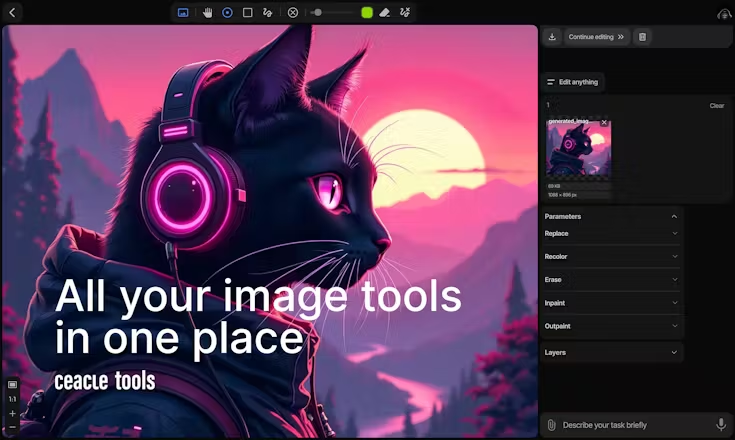
Ceacle Tools is a unified web-platform offering more than 50 AI-powered creative utilities—spanning image, audio, video, web and document workflows—all in one workspace. Rather than hopping between separate apps for background removal, image upscaling, video generation or text-to-speech, Ceacle lets you upload, edit and automate across tools under one roof.
It supports both manual edits (e.g., cropping, colouring, vectorising) and chainable workflows (for example: generate image → upscale → convert format → compress) to streamline creative production. For creators, marketers, freelancers and studios facing content-volume pressure, this one-stop suite reduces tool-fragmentation, centralises asset management and accelerates turnaround.
The interface emphasises simplicity: drag-and-drop uploads, select tool operations, attach files, and either apply individual edits or build “pipelines” of actions that run sequentially. Files are preserved across steps, enabling non-destructive editing, versioning and reuse.
The platform also supports “agentic” features—AI commands you can type (or voice) that select the right tool or chain for you, lowering the barrier for non-experts. Because it consolidates many functions, Ceacle is particularly appealing for small teams or solo creators who don’t want to maintain multiple subscriptions, integrations or file-handoffs between tools.
In short, Ceacle Tools aims to be your creative workstation in the browser—handling everything from “erase background from product photo” to “generate video from text prompt” within one platform, and scaling as your content demands grow.
🌟 Why You Should Choose
All-in-One Access to Multiple Creative Tools – With over 50 tools in one platform (image generation, outpainting, virtual try-on, video generation, audio processing, document OCR and more), you reduce the number of separate apps you need.
Chainable Workflows & Batch Editing – You can build multi-step pipelines (e.g., upscale → compress → convert) and process multiple files at once, which boosts productivity for high-volume tasks.
Accessible for Non-Experts – With AI-command input, drag-drop file uploads and pre-built tool interfaces, it’s usable by creators without deep technical or editing backgrounds.
Modern Features Across Media Types – Not limited to images: supports video generation, audio tools, document OCR, chat/AI commands and more, making it versatile across content forms.
Flexible Pricing & Credit System – Offers subscription or credit-based access, meaning you can pay according to your usage and scale up when needed instead of committing to multiple tools.
⚙️ Additional Highlights
The platform offers non-destructive editing, meaning you can revisit earlier steps in a workflow without losing data or image quality.
There is strong support for batch editing (performing an operation on many files at once), which is useful for e-commerce catalogues, social media visuals or repetitive asset workflows.
Tool updates are frequent—recent additions include document OCR, enhanced AI-models for image generation, and expanded video editing features—indicating active development.
Multi-media file support: you can upload images, videos, documents (PDFs), audio files and process them in context of workflows or AI commands.
Because the environment is browser-based, you don’t need local installs or large hardware; it’s accessible from standard devices/browser setups.
Launch Date & Founder Name
The site lists itself as Ceacle © 2025, indicating the current version or major public release date.
Public listings (e.g., Product Hunt) indicate the tool launched or was featured around 2024.
Specific founder or leadership names are not prominently displayed on the public site.
Pros And Cons
Pros:
- Excellent value for creators needing many tools in one place rather than dozens of subscriptions.
- Strong for high-volume or repetitive workflows (e-commerce, social media, mass editing).
- Good for teams or freelancers who want speed, fewer tools and less overhead.
- Continuous updates and broad media support (image, video, audio, docs).
- Browser-based access simplifies collaboration and cross-device usage.
Cons:
- Because it aims to cover many tools in one, individual tool-depth or best-in-class features may be less advanced than specialist software.
- Credit-based usage may become complex or costly if you heavily use premium tools (for example high-resolution videos or large file batches).
- For niche professional workflows (e.g., high-end film-grade VFX, complex 3D modelling, enterprise video pipeline) you may still need specialist tools.
- Because the platform is newer and evolving rapidly, documentation, integrations or support may be less mature compared to long-established tools.
- As for any browser-based editor handling many media types, large file uploads/downloads may be slower compared to local processing or native apps.